
A PrestaShop store rarely stays isolated for long. Sooner or later it has to talk to an ERP, a marketplace, a warehouse system, an accounting platform, or a mobile app, and that traffic goes through the PrestaShop Webservice API, a CRUD interface exposing the shop’s entities over HTTP. Authentication is deliberately plain: you generate an access key in the back office and send it as the username in an HTTP Basic Auth header with an empty password. No OAuth handshake, no token refresh, no expiry. Every request inherits exactly the permissions that key was granted, which is why a badly scoped key is the most dangerous object in a PrestaShop deployment.
Integrations usually start as “just sync the products.” They become real work when combinations, stock, multiple languages, multistore contexts and order flow-back arrive. This guide covers scoping access, authenticating, choosing endpoints, and the mapping mistakes that make a technically correct API call produce the wrong result.
1.0 What Is the PrestaShop Webservice API and Where Does It Stop?
PrestaShop’s own framing is that it lets merchants give third-party tools access to the shop’s database through a CRUD API. That’s an honest description of both the reach and the limit. The API is a thin, generic layer over PrestaShop’s ObjectModel entities, and HTTP verbs map onto database operations:
| Method | Operation |
|---|---|
| GET | Read |
| POST | Create |
| PUT | Update (full object) |
| PATCH | Partial update |
| DELETE | Delete |
It is not a business-logic API. It won’t run a checkout, take a payment, or validate an order the way PaymentModule::validateOrder() does it moves records. That distinction explains most of the strange behaviour developers report, and it’s why creating orders straight through the API is a known trap rather than a feature.
The root is /api/ on the shop domain. GET /api/ returns every resource the current key can reach, annotated with the methods it permits. A successful response there tells you four things at once: the webservice is enabled, the key is accepted, the webserver is routing correctly, and the key has usable permissions. Start every debugging session there.
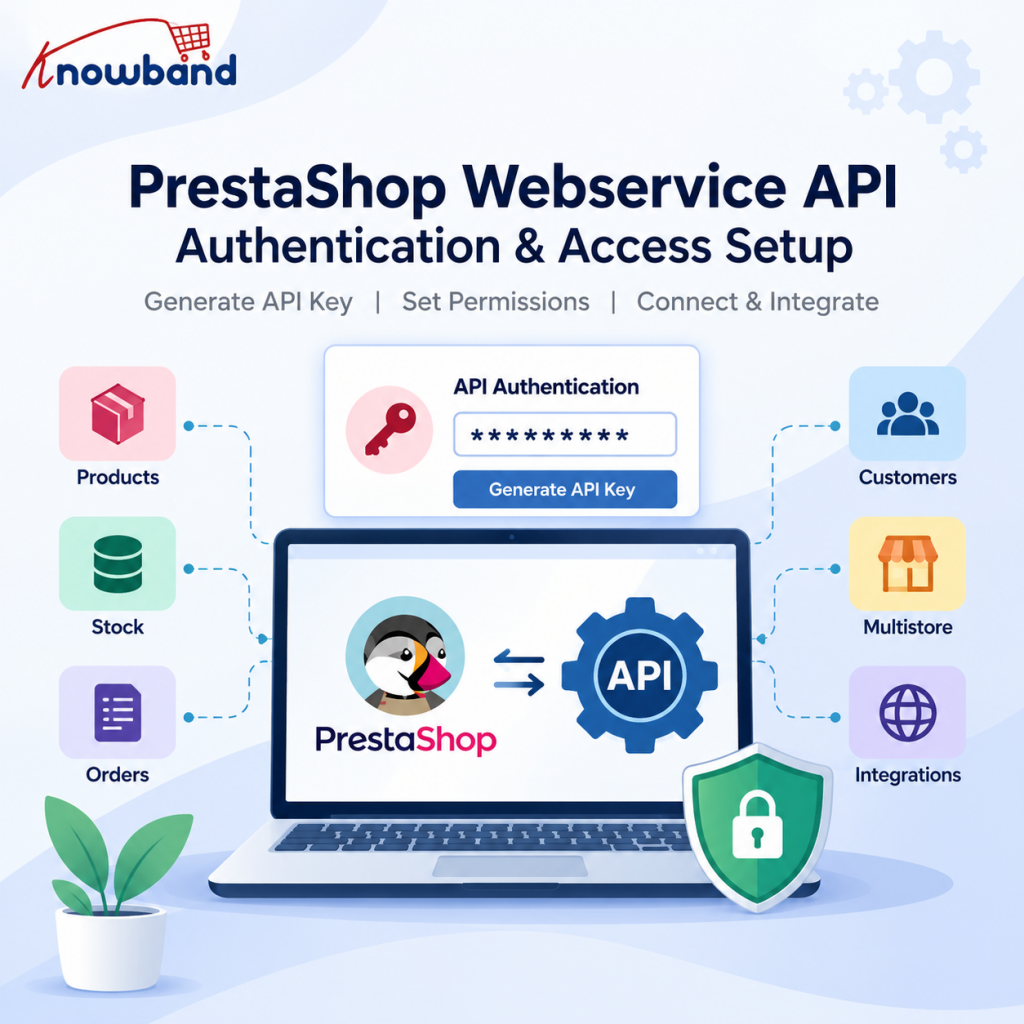
2.0 How to Enable the PrestaShop Webservice and Generate an Access Key
The webservice ships disabled. Nothing works until you switch it on under Advanced Parameters → Webservice in the back office. There’s a second toggle on that page for accepting the key in the URL, leave it off unless you’ve read the authentication section below and still want it.
Then generate a key rather than inventing one, and give it a description that names the consuming system:
    Marketplace Sync        not    API Key
    ERP Stock Connector            Test
    Mobile App                     Integration
    Staging - Reporting            New Key 2
That looks like housekeeping. It isn’t: when a merchant runs five integrations and one key starts erroring, the description is the only thing telling you which application to open.
The permission grid is your first security boundary
Below the key sits a resource-by-resource matrix. Each of the 80+ resources can be granted GET, POST, PUT, PATCH, DELETE and HEAD independently. Because the key is the only credential, no password, no signature, no expiry, this grid is your PrestaShop API authentication boundary. The official docs are pointed about being careful with key rights for exactly that reason.
| Integration | Resources | Methods |
|---|---|---|
| Stock sync | stock_availables | GET, PUT |
| Catalogue read | products, combinations | GET |
| Marketplace connector | products, images, stock_availables | GET, POST, PUT |
| Order reporting | orders, order_details, order_states | GET |
Don’t enable everything because the integration “might need it later.” A reporting tool has no business modifying orders; a stock service has no business reading customer addresses. Start with the smallest set that works and widen on evidence, which also makes diagnosis trivial, since GET /api/products succeeding while PUT /api/products/123 fails points straight at the matrix rather than your code.
Two more habits: one key per integration, never one shared across four systems, and no DELETE unless a workflow demands it. For products, prefer active=0, a deleted product takes its history with it.
How to Authenticate PrestaShop Webservice API Requests
Basic Auth, key as username, blank password:
curl -u "YOUR_ACCESS_KEY:" https://example.com/api/products
The trailing colon is the empty password. Omit it and curl waits for input, a common first stumble. Building the header by hand:
$apiKey = getenv('PRESTASHOP_API_KEY');
$headers = ['Authorization: Basic ' . base64_encode($apiKey . ':')];
Read the key from the environment, not a literal, and rotate anything that ever touched a repository, keys don’t expire on their own, so rotation is a discipline or it doesn’t happen.
PrestaShop also accepts https://[email protected]/api/. Fine for a thirty-second browser check, wrong for production, since URLs end up in history, proxy logs, monitoring and screenshots; the docs recommend the Authorization header instead. Run all of it over HTTPS, Basic Auth is base64, not encryption.
One environment problem is worth knowing before you meet it: the key works in the URL, the identical key returns 401 in the header, and the obvious conclusion is that the key is wrong. Often it isn’t, some Apache/CGI setups don’t forward the Authorization header to PHP at all. The documented fixes:
CGIPassAuth On
or, on older Apache builds:
SetEnvIf Authorization "(.*)" HTTP_AUTHORIZATION=$1
When a key works via one authentication method but not another, check the webserver before regenerating keys a fourth time.
2.1 PrestaShop API Errors: Why Your Request Returns 401, 403 or 404
Treat the status code as a clue about which layer failed, and stop rewriting code until you know.
401 Unauthorized, identity rejected. In order: is the webservice toggle on; is the key row active; did you copy a trailing space; is the Authorization header reaching PHP; are you sending the key as a query parameter instead of Basic Auth. The API does not read a ?key= parameter, and that mistake is more common than it should be.
403 Forbidden, key valid, permission missing. The tell is GET /api/ succeeding while one specific call is refused.
404 Not Found on a resource you know exists usually means /api/ isn’t being routed. Test the dispatcher directly:
https://example.com/webservice/dispatcher.php?url=products
If that returns data while /api/products doesn’t, the problem is webserver configuration, not PrestaShop. It bites most often after a hosting migration, where the storefront works perfectly and only the API stops routing.
3.0 XML by default, JSON on request
The Webservice is XML-first. Seeing angle brackets where you expected an object means nothing is broken, you just haven’t asked:
curl -u "KEY:" "https://example.com/api/products?output_format=JSON"
Headers work too (Output-Format: JSON, Io-Format: JSON); io_format sets input and output, output_format only the response.
Then the constraint that shapes connector architecture: PrestaShop 8 documentation states that as of 8.1 the Webservice outputs JSON but cannot read JSON input. Writes stay XML, so a typical connector consumes JSON internally and builds XML for every POST, PUT and PATCH. Plan for the asymmetry, and re-check it against the devdocs for the version you’re targeting.
Don’t guess at that XML ask the shop:
- GET /api/products?schema=blank returns an empty skeleton ready to populate.
- GET /api/products?schema=synopsis adds field types, required flags, validators and maximum sizes.
The synopsis beats any documentation, this article included, because it reflects that installation with its modules and their added fields, far safer than assuming the product XML matches your last client’s. Formatting is strict, too: <id>42</id>, never with newlines and indentation inside the value tag.
4.0 Core endpoints and what each is really for
Eighty-plus resources exist. Integrations cluster around a handful.
4.1 Catalogue and why a product is not a combination
products, categories, combinations, manufacturers, images. This is where most write complexity lives, and where the single most expensive mapping error happens.
A T-shirt is one product with one ID. Its Small, Medium and Large variants are combinations, each with its own ID and its own stock record. Build them in order: product option (the attribute group, “Size”), then option value (S, M, L), then the combination linking values to the product. A combination’s price field is a price impact added to the base price, not the final price.
Now the failure mode. An integration updates stock on product 500 when the sellable quantity belongs to combination 502. The API returns 200, the log says success, and the storefront shows the wrong availability. Nothing was broken except the mapping, which is why inventory and marketplace work needs more than endpoint knowledge.
Images are a separate workflow, uploaded multipart to /api/images/products/{id} rather than embedded in the product payload. On a catalogue of thousands, reprocessing every image every run is usually the slowest thing your integration does, store mappings and touch images only when something changed.
4.2 Stock small endpoint, large consequences
stock_availables is often the highest-frequency resource in the system and the simplest to call: read, change the quantity, write back. The difficulty is reconciliation, a marketplace sells one unit, its count drops to 9, PrestaShop still says 10, and something has to close that gap. Design the loop as read state → determine the delta → write → confirm → log, rather than pushing absolute numbers every few minutes and hoping.
4.3 Orders a state machine, not a table
orders, order_details, order_histories, order_states. Read-heavy for most integrations: pull orders, pull line items, push status changes.
Status is the part with an idiom. Don’t PUT a new state onto the order, create an order_histories record, which is what drives the state machine and the customer notification. Depending on configuration a transition can touch invoicing, emails, shipping state and stock, and state IDs differ between shops, so query order_states and map by name rather than hard-coding a number from staging.
If an external system has to create orders, route it through a cart plus a module controller calling the real order-creation path. The CRUD endpoint sidesteps the validation, stock and payment logic that makes an order trustworthy.
4.4 Customers, reference data, and context
customers, addresses and groups are simple records carrying the heaviest data-protection obligations, grant them only to keys that demonstrably need them. Reference resources (carriers, countries, currencies, languages, taxes, zones, shops) are low-volume and high-value: fetch once at start-up and cache them, because nearly every write needs an ID from that group.
Two context dimensions catch integrations out. Multilingual fields aren’t plain strings, a product name is keyed by language ID, so your layer must decide which language and what the fallback is before an external platform demands one value. Multishop means one product ID can mean different business records per shop; the Webservice provides id_shop and id_group_shop for this, and stock needs one or the other depending on the shop’s stock-sharing strategy. A sync bug that looks random usually resolves the moment shop and language context appear in the log.
5.0 Filtering, paging and incremental sync
Downloading the whole catalogue every run is the fastest way to make a merchant resent your integration. The parameters that stop it:
- display=[id,reference,price,date_upd] returns only named fields. display=full returns everything and is a genuine performance risk at scale.
- filter[reference]=ABC-123 matches exactly; the syntax also supports LIKE, OR, negation and interval comparisons.
- sort=[date_upd_DESC] orders results.
- limit=50 takes the first fifty; limit=50,50 takes rows 51–100 as offset plus count.
- date=1 must be set before date-range filters apply, omit it and the filter is silently ignored, returning everything and looking like a bug elsewhere.
When a client reports “the API sync is too slow,” the logs usually show the integration fetching products, combinations, images, categories and manufacturers for every record on every run. Nothing is broken; the architecture is doing unnecessary work. Reach for filtering, pagination, cached reference data and a stored last-sync timestamp before max_execution_time.
6.0 When the Webservice isn’t the right layer
The Webservice suits systems that want fairly direct access to PrestaShop records: ERP to products, warehouse to stock, reporting to orders. It suits business operations much less well, login, cart, checkout, a personalised app home screen. Those need logic, not CRUD. So put a layer in between:
External client → Integration layer → PrestaShop Webservice → Database
That layer owns authentication, business rules, mapping, validation, caching and response shaping. A mobile client then asks for what it needs and gets a predictable object, without knowing how PrestaShop splits a product across Product, Combination, StockAvailable, SpecificPrice, Language and Image:
{ "product_id": 123, "name": "Running Shoes", "price": 79.99, "available": true }
That boundary is what lets one backend serve a website, an app, a marketplace and an ERP without four sets of assumptions leaking into each other. It’s the architecture behind purpose-built products in this space, Knowband’s PrestaShop Mobile App Builder, for instance, keeps the store as the source of truth and syncs catalogue, orders and multilingual content through to native Android and iOS clients rather than exposing raw resources to the device.
Marketplace work carries the same lesson with an extra edge: two APIs are involved, PrestaShop’s and the marketplace’s, and either can change without warning. A connector has to hold category mapping, attribute mapping, listing state, order import and status flow-back stable across both. Knowband’s PrestaShop eBay Marketplace Integration covers that surface for eBay, listings, inventory and orders, which is worth weighing before building it yourself. The honest comparison isn’t licence cost against development cost; it’s licence cost against development plus every future version bump on both platforms.
7.0 Testing access before you build anything
- Fifteen minutes here saves days. Run this against the target shop with the key production will actually use:
- GET /api/ returns 200 and a resource list. If not, stop, nothing downstream matters yet.
- That list contains every resource you need, with the methods you need. Gaps are permission-grid problems, not code bugs.
- GET /api/products?limit=1 returns a record, confirms routing and read access together.
- The same call with &output_format=JSON returns JSON.
- GET /api/products?schema=synopsis gives you the field spec for this shop. Read it before writing a payload builder.
- GET /api/products?filter[id]=[123], confirm filtering behaves as you expect.
- One controlled write on staging, verified by reading it back, a 200 is not proof the field landed as intended.
- Deliberate failures: invalid key, restricted resource, bad ID, malformed payload. Your client should surface each predictably instead of swallowing it.
- The Authorization header path specifically, not the key-in-URL shortcut.
Postman or Insomnia makes this quick, and the devdocs include a Postman-based testing tutorial. For PHP consumers, prestashop/prestashop-webservice-lib handles the cURL and XML boilerplate and remains the standard client.
8.0 PrestaShop 9: Webservice alongside the Admin API
PrestaShop 9 ships both the legacy Webservice and a newer Admin API, and they are different systems that coexist in one installation. The devdocs describe the Admin API as OAuth-based, built on API Platform with a CQRS design and endpoints that are more domain-oriented than the Webservice’s ObjectModel resources. It authenticates with OAuth2 access tokens rather than an access key over Basic Auth, and even its multishop parameters differ — shopId, shopGroupId, shopIds, allShops in place of id_shop and id_group_shop.
Everything above describes the Webservice, whose behaviour has carried forward consistently across 1.7, 8.x and 9.x: the key-plus-Basic-Auth model, the /api/ root, XML-first output, the permission grid. Legacy 1.6-era integrations generally still function, though field sets have shifted with each major release, regenerate your schema snapshots after an upgrade rather than trusting an older mapping.
For a new build, check the Admin API documentation for the resources you need before defaulting to either. For an existing connector, treat migration as its own project: the two aren’t drop-in replacements, and the devdocs don’t present them as such.
9.0 Mistakes that cost the most time
- The webservice was never enabled. Trivial to fix, and it burns hours because it presents as an auth problem.
- Hard-coded IDs for languages, currencies or order states, copied from a dev shop to a client whose IDs differ. Query and map them.
- PUT with a partial payload. A full update wants the whole object; use PATCH for a few fields.
- Reading HTTP 200 as business success. It means the request was processed, not that the right thing happened.
- No retry strategy. A lost response after a successful write means the retry must be idempotent, or you’ll create duplicates.
- No synchronisation logs. Record timestamp, endpoint, method, resource and shop ID, status, retry count and sync ID — never the key, credentials or personal data. Three days later that log is your only evidence.
- A binary success/failed status. “Not syncing” can mean the request never fired, returned 401, returned 200 but failed mapping, or created the product and failed the image upload. Expose the stage, not just the verdict.
When something does break, follow the request rather than editing code: did it leave the application, reach PrestaShop, pass authentication, pass permissions, return the expected resource, parse correctly, map correctly, complete the business operation, get logged? Checking each boundary independently beats guessing, especially with a mobile client, a custom layer, PrestaShop and a marketplace all in the path.
10.0 Where to go from here
The PrestaShop Webservice API rewards precision over cleverness. Enable it deliberately, scope one key per consumer through the permission grid, authenticate over HTTPS with a real Authorization header, and read the shop’s own schema=synopsis before writing a payload builder. Do those four things and the rest is ordinary HTTP plumbing.
Then build in that order: authenticate, GET /api/, read one product, its combinations, its stock, make one controlled write, add filtering and pagination, and only then add synchronisation, retries and logging. Prove the connection, prove the mapping, prove the sync, then scale. Don’t start with 50,000 products.
The question that determines whether an integration survives production isn’t “which endpoint do I call?” It’s “what data am I moving, who owns it, what happens when a request fails, and how will I know both systems are still consistent?”
If you have questions or need assistance with your website performance or migration, our experts are here to help. Contact the Knowband team at [email protected] today for reliable eCommerce plugins tailored to your eCommerce needs.


